

The best knowledge base software in 2026 depends on your audience: Knowlith, Document360 and Help Scout lead for customer-facing help centres, whilst Notion, Confluence and Guru lead for internal wikis. Confluence's Free plan covers up to 10 users with 2 GB of storage, and Notion Plus costs $10 per member per month billed annually. Guru's self-serve plan charges $25 a seat with a 10-seat minimum, so its real entry price is about $250 a month. For indie developers and small SaaS teams, the right tool is cheap to start and shows you what users search for and can't find.
Disclosure first: we make Knowlith, and it's ranked first here for small SaaS teams. Add salt accordingly. We tested every other tool on the same criteria, and the worst moment was nearly always the same one: you still write every post yourself.
Best Knowledge Base Software for 2026: Quick Picks
The best knowledge base software for 2026 splits into two lanes: customer-facing help centres for your users and internal wikis for your team.
Plenty of buyers skip that split and pay for it later. A team wiki dressed up as a public help centre still looks like a team wiki. Your customers can tell.
Our ranked quick picks by use case are:
- Knowlith: best for indie developers and small SaaS teams who want docs, a feedback board, a public roadmap and a changelog in one support hub.
- Document360: best for documentation-heavy products with large, structured article sets.
- Help Scout: best for small support teams that want the inbox and the docs side by side.
- Zendesk: best for larger support teams already running a full help desk.
- Notion: best flexible internal wiki for teams that already live in it.
- Confluence: best internal wiki for engineering teams working in Jira.
- Guru: best for verified internal answers inside Slack and Microsoft Teams, once you have ten or more seats.
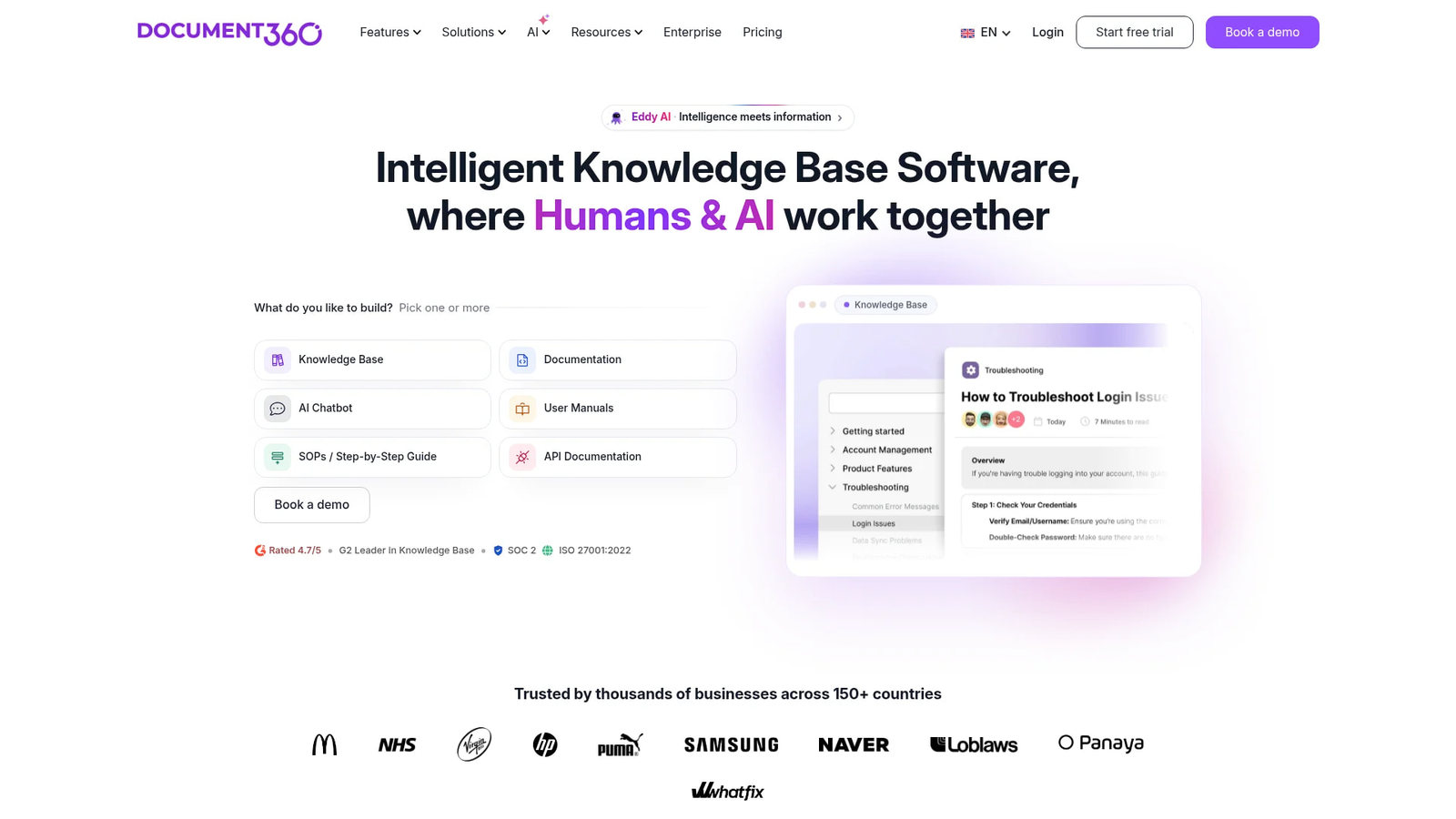
Six more tools made the full ranked list. The table shows all 12 and what each costs to get in the door.
At a Glance: 12 Knowledge Base Tools Compared
The 12 knowledge base tools compared here differ most on audience, pricing model, and whether their AI works for your team or talks to your customers.
This table lists each tool's best-for label, standout feature and starting price:
| Tool | Best for | Standout feature | Starting price |
|---|---|---|---|
| Knowlith | Indie devs, small SaaS teams | Weekly Signal Digest built from zero-result searches and votes | Free plan (Solo), Studio $19/mo |
| Document360 | Documentation-heavy products | Structured categories and versioned articles | 14-day free trial, then paid plans |
| Help Scout | Small support teams | Shared inbox with built-in docs | Check site |
| Zendesk | Larger support teams | Help centre tied to a full ticketing suite | Per agent, check site |
| Zoho Desk | Teams already on Zoho | Knowledge base inside Zoho's help desk | Per agent, check site |
| Helpjuice | Dedicated knowledge base builds | Highly customisable help centre | Check site |
| Notion | Flexible internal wiki | Docs, databases and AI in one workspace | $10/member/month (Plus, annual) |
| Confluence | Engineering teams on Jira | Spaces, templates and Jira links | Free for up to 10 users |
| Guru | Verified internal answers | Expert verification on knowledge cards | $25/seat/month, 10-seat minimum |
| Slite | Small teams that write a lot | Minimal editor with AI answers from team docs | Check site |
| Nuclino | Lightweight wiki | Fast editor with a graph view of linked pages | Check site |
| Tettra | Slack-first small teams | Q&A and page ownership inside Slack | Check site |
Where the table says 'Check site', we couldn't verify a current price for this post. We'd rather leave a gap than guess. Pricing pages change more often than most changelogs.
What Is Knowledge Base Software?
Knowledge base software is a tool for building a central, searchable library of help articles, documents and answers for customers or employees.
It comes in two flavours. A public knowledge base lets customers answer their own questions. An internal knowledge base lets your team share processes and company information without pinging the same colleague on Slack again.
It's the practical end of knowledge management: where answers live once someone writes them down. The software adds what a shared folder can't, like proper search, categories, permissions, analytics and publishing on your own domain.
A Google Drive folder full of docs has none of that. Nobody finds anything in it, including the person who made it.
That covers the what. The why mostly comes down to support tickets you never have to answer.
Why Use Knowledge Base Software? Benefits and ROI
Knowledge base software earns its cost by answering repeat questions before they become support tickets, shortening onboarding and giving customers self-service help around the clock.
You already know the questions. 'How do I change my plan?' 'Where's my invoice?' You answer them by email, one at a time, forever.
Our own Knowlith data points the same way. Zero-result searches, where someone searches a help centre and gets nothing back, happen quite often. They mostly cluster around account settings and subscriptions.
That's the boring stuff. Which is exactly why nobody writes it down. Founders document the clever feature and forget the billing page.
Ticket Deflection and 24/7 Self-Service
Ticket deflection happens when a customer finds the answer in your help centre and never opens a support ticket.
Every deflected ticket is a reply you didn't write at 11pm. Self-service also keeps working whilst you sleep, which matters when your users sit in time zones you don't.
Fix the page, not the reply. When the same question lands twice, write the article, then answer with a link to it.
Faster Onboarding and Less Time Spent Searching
An internal knowledge base shortens employee onboarding because new hires read the answer instead of interrupting whoever has been around longest.
It also cuts the time spent digging through chat history for a decision someone made months ago. One source of truth beats three half-right ones.
ROI is hard to pin down without your own numbers, so collect them. Count repeat tickets for a month before launch and a month after. That comparison is the only ROI figure that matters to you.
Before comparing tools, decide who the knowledge base is for. That one choice rules out half this list.
Internal Wiki vs Customer-Facing Help Centre: Pick Your Lane
An internal knowledge base helps a team share processes and company information, whilst a customer-facing help centre helps customers answer their own questions without contacting support. Guru, Notion and Confluence are mainly used for internal knowledge management, whilst Knowlith, Help Scout and Zendesk build for the public side.
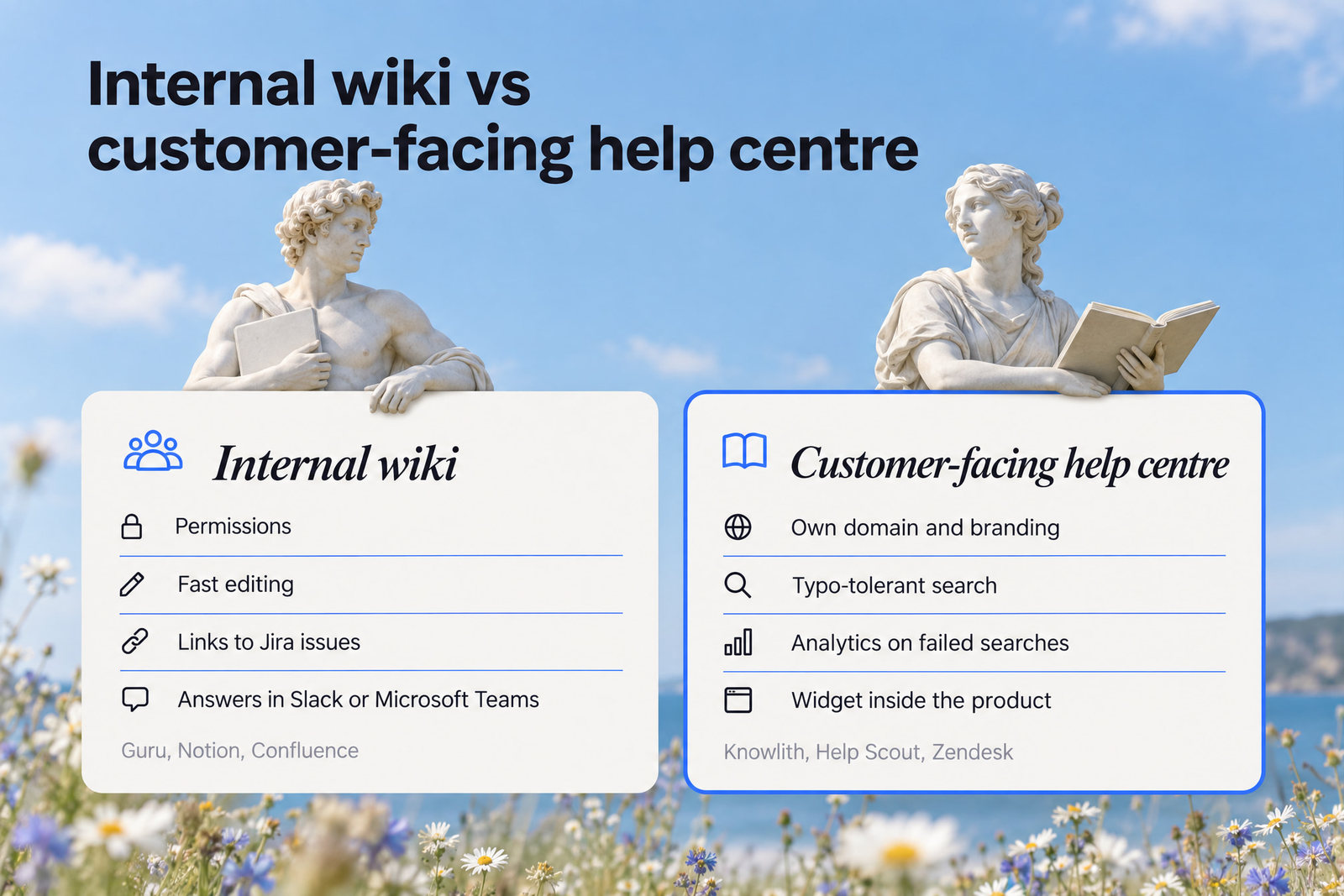
A customer-facing help centre needs your own domain and branding, typo-tolerant search, analytics on failed searches and ideally a widget inside the product. We've written separately about in-app knowledge base software that keeps users inside your product, because a help centre nobody opens is a very tidy waste of time.
An internal wiki needs different things: permissions, fast editing, links to Jira issues and answers that surface in Slack or Microsoft Teams. Document360 sits between the two as a documentation-focused tool.
Most small SaaS teams need the public side far more than a wiki. Three people can share a Notion page. Your customers can't share your inbox.
Essential Knowledge Base Features to Look For
The essential knowledge base features in 2026 are a fast editor, reliable search, clear structure, granular permissions, useful analytics, integrations and a way to keep content fresh.
The Core Features Checklist
The core features checklist we used for every tool covers seven areas:
- Editor: block or markdown editing, images, and drafts you can pass to a reviewer.
- Search: typo tolerance, ideally semantic search, and a log of zero-result searches.
- Structure: categories, collections and cross-links so articles don't pile up in one flat heap.
- Permissions: public, private and role-based access, set per space or per article.
- Analytics: views, failed searches and article ratings, broken down by page.
- Integrations: Slack, Microsoft Teams, Salesforce, Google Drive and Jira, depending on your stack.
- Branding: custom domain, logo and colours for anything customer-facing.
Analytics is the one buyers underrate. Views tell you what's popular. Zero-result searches tell you where users get stuck, which is far more useful.
Content Freshness and Ownership
Content freshness features flag stale articles, assign each page an owner and prompt that owner to re-verify it on a set review cycle.

Stale docs are worse than no docs. A user follows old steps, the button has moved, and now they email you annoyed as well as stuck.
Freshness is the unglamorous half of knowledge management. Guru made expert verification its core feature, and Tettra builds page ownership into its workflow. Most wikis leave it to you and a calendar reminder.
Give every article an owner's name and a review date. Start with billing and account settings. Those pages change often, and they get searched constantly.
Search is where most tools now pitch their AI, so that comes next.
AI Search in 2026: Useful for Your Team, Risky for Customers
AI search in knowledge base software uses semantic search to match questions by meaning rather than exact keywords, and generative answers then summarise the matching articles into one reply.
What Semantic Search Gets Right
Semantic search finds the right article even when a user's words don't match yours, which makes it the AI search feature most worth paying for.
Users search 'cancel' when your article says 'downgrade'. They type 'bill' when you wrote 'invoice'. Keyword search shrugs. Semantic search doesn't.
AI also earns its keep behind the curtain. A tool that reads your search logs and tells your team which articles are missing fixes the gap for every user at once.
That's the line Knowlith draws. Its AI never talks to end users and only writes a briefing for the product team. Developers can also query help articles through MCP tools such as search_help_articles.
Why Customer-Facing AI Often Disappoints Small Teams
Customer-facing AI often disappoints small teams because the platforms selling it are priced and built for much larger support operations.
The pattern we see with indie developers is predictable. They follow the usual advice and pick a big platform such as Intercom for its AI. Then they end up with something too expensive and too feature-rich, and half the features never get used.
AI also runs its own meter. Notion's credit-based AI agent pricing is $10 per 1,000 monthly credits after a free trial, charged on top of seat prices. Fine if your team uses it daily, dead weight if nobody does.
A bot that confidently gives a customer the wrong refund policy costs more than the ticket it saved. Put AI where a human checks its work first.
With the criteria set, the next question is how each tool held up against them.
How We Tested Each Knowledge Base Tool
We tested each knowledge base tool on the same six criteria, weighted towards what a small SaaS team or agency needs from its first help centre.
The six criteria we scored every tool on were:
- Time to first article: how quickly a new account goes from sign-up to a live, searchable page.
- Search quality: typos, synonyms, AI search, and whether failed searches get logged.
- Structure and permissions: categories, private sections and user roles.
- Analytics: whether the tool shows where users get stuck or only counts page views.
- Integrations: Slack, Microsoft Teams, Salesforce, Google Drive, Jira and an API.
- Pricing honesty: entry price, per-seat or per-agent scaling, and what the free plan leaves out.
One finding repeated everywhere: every tool made us write every post ourselves. Fair enough, it's your product. The tools that told us what to write next ranked higher than the ones that left us guessing.
You won't find star ratings here. The notes are our opinions, and the only hard numbers are prices, sourced where we could verify them.
Customer-Facing Help Centre Tools, Ranked
The best customer-facing knowledge base tools in 2026 are Knowlith, Document360, Help Scout, Zendesk, Zoho Desk and Helpjuice, ranked for small SaaS teams and agencies.
These tools publish a help centre your customers search themselves. The ranking favours low entry cost, good analytics and not needing a call centre to run them.
1. Knowlith: Best for Indie Developers and Small SaaS Teams
Knowlith is a support hub for software products, with help articles, a feedback board, a public roadmap and a changelog as four modules on one platform.
It's built for indie founders and early-stage SaaS teams. Everything runs on your own domain and branding, with an embedded widget inside your app. Knowlith tracks widget opens by page, zero-result searches and votes, then sends a Weekly Signal Digest every Monday with recommended actions.
Key features: knowledge base, feedback board, public roadmap, changelog, in-app widget, zero-result search tracking, the Weekly Signal Digest and a support inbox that pairs with the knowledge base.
Pros: four tools on one bill. It shows where users get stuck. AI stays out of customer conversations and writes the briefing for your team instead.
Cons: it isn't an internal wiki, so team documentation belongs in Notion or Confluence. There's no customer-facing AI bot, if that's on your list. And we make it, so weigh our enthusiasm.
Pricing: free Solo plan. Studio is $19/mo and Foundry is $49/mo for agencies, with a 7-day free trial and no card up front.
Bottom line: if you're a small team shipping a product, start here. We would say that, obviously.
2. Document360: Best for Documentation-Heavy Products
Document360 is a documentation-focused knowledge base platform sold on three plans: Professional, Business and Enterprise.
It suits teams whose docs are the product experience: setup guides, API references, long articles in careful category trees. Versioning and review workflows keep a large doc set in order when several people edit it.
Key features: nested categories, article versions, review workflows, public or private knowledge bases, custom domain and search analytics.
Pros: strong structure for big doc sets. It covers both public and private documentation.
Cons: more machinery than a small SaaS needs on day one. It's docs only, so feedback, roadmap and changelog live somewhere else.
Pricing: Document360 offers a free trial lasting 14 days. We didn't verify current plan prices, so get a quote before you budget.
Bottom line: great when documentation is your main product surface. Overkill for a help centre with a handful of articles.
3. Help Scout: Best for Small Support Teams
Help Scout is a help desk that pairs a shared inbox with a built-in knowledge base called Docs, aimed at small support teams.
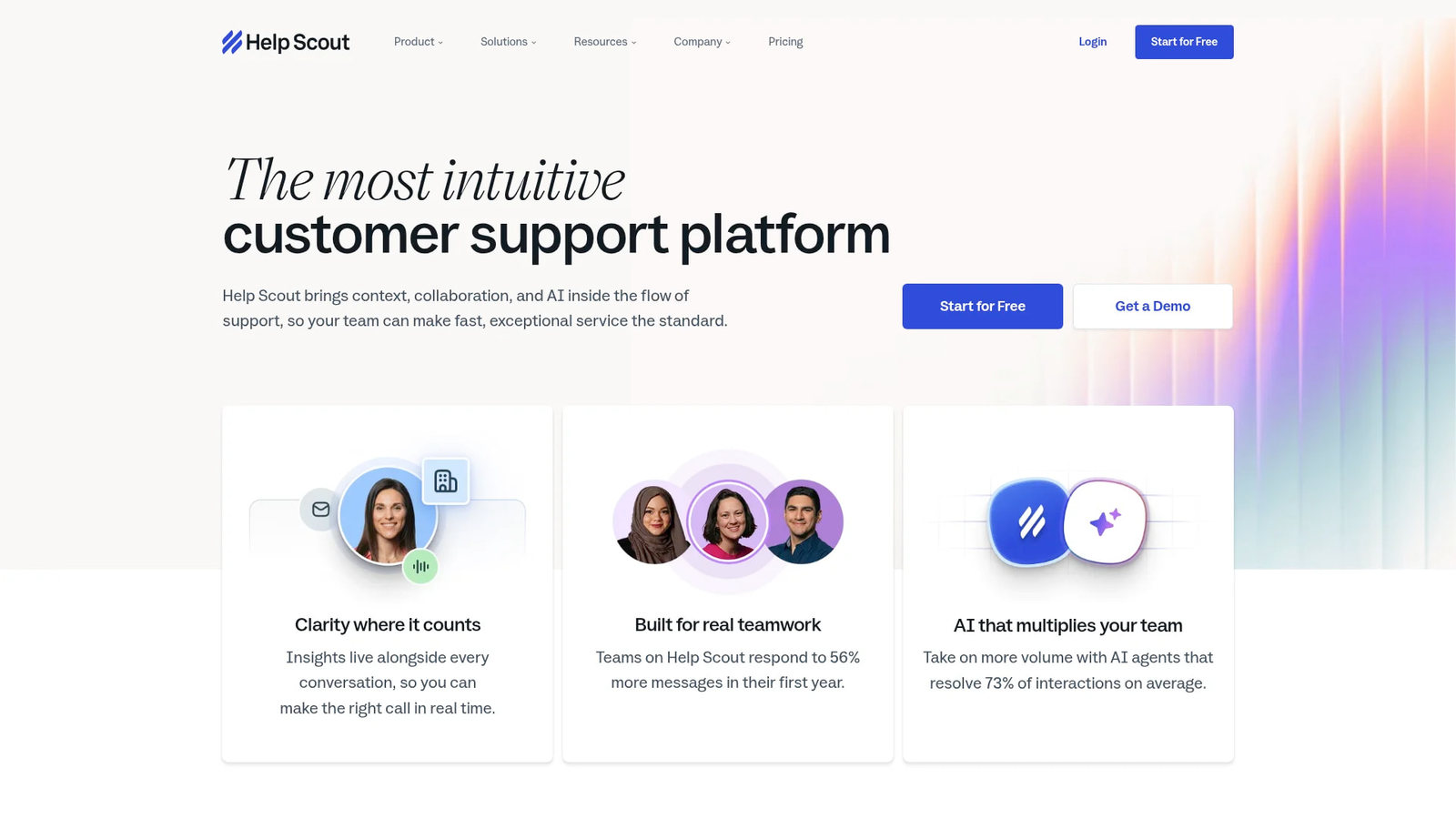
Its Beacon widget puts article search and a contact form inside your site or app. Because inbox and docs sit side by side, turning a repeat answer into an article feels natural.
Key features: shared inbox, Docs knowledge base, Beacon widget, reporting and integrations with tools like Slack and Salesforce.
Pros: friendly for non-technical staff. Ticket-to-article conversion fits how small teams already work.
Cons: it's a help desk first, so you pay for inbox features even if you only want docs. Documentation structure is simpler than Document360's.
Pricing: we didn't verify Help Scout's current plans. Check its pricing page for up-to-date figures.
Bottom line: a solid pick when email support is already your main channel.
4. Zendesk: Best for Larger Support Teams
Zendesk is a full help desk suite whose knowledge base publishes a branded help centre connected to ticketing, reporting and AI features.
It's the default for support teams with dedicated agents, shift patterns and a queue that never empties. Articles and tickets live in one system.
Key features: branded help centre, ticketing, AI search and answer features, analytics and a large integration marketplace that includes Salesforce and Slack.
Pros: mature, well documented and able to scale with a big team. Everything support-related sits in one place.
Cons: heavy for a two-person company. Per-agent pricing climbs with every hire. The AI push leans towards bots that answer customers directly, which is where we'd slow down.
Pricing: billed per agent across Zendesk's plans. We didn't verify current figures for this post.
Bottom line: the right tool once support is a department. Too much while it's still you and a laptop.
5. Zoho Desk: Best for Teams Already Using Zoho
Zoho Desk is a help desk from Zoho that includes a customer-facing knowledge base and fits best for teams already running other Zoho apps.
If your CRM already sits in Zoho, the knowledge base slots in without another login. If it doesn't, the appeal drops fast.
Key features: ticketing, knowledge base, customer self-service portal, AI features and links to the wider Zoho suite.
Pros: tight fit with Zoho apps. A full help desk and knowledge base in one account.
Cons: the interface feels busy. The knowledge base is one module among many, and it shows.
Pricing: per-agent tiers. Check Zoho's site for current figures, which we didn't verify.
Bottom line: pick it for the Zoho connection. On its own merits as a knowledge base, others on this list do more.
6. Helpjuice: Best for Dedicated Knowledge Base Builds
Helpjuice is a dedicated knowledge base tool focused on customisable help centres, search and content analytics.
It suits teams that want a help centre designed exactly their way and don't mind spending time on templates.
Key features: custom themes, search, analytics, user permissions and internal or external knowledge bases.
Pros: lots of design control. The knowledge base is the whole product, so it gets full attention.
Cons: docs only, with no feedback board or changelog. Customisation takes time a small team may not have.
Pricing: not verified for this post. Ask for current pricing before you commit.
Bottom line: good when help centre design matters a lot to you. Everyone else can skip the template work.
Internal Wiki and Team Knowledge Tools, Ranked
The best internal wiki tools in 2026 are Notion, Confluence, Guru, Slite, Nuclino and Tettra, ranked for small teams that want one source of truth for processes and decisions.
Internal knowledge management fails quietly. Nobody complains. They just ask the founder again.
7. Notion: Best Flexible Internal Wiki
Notion is a flexible workspace for docs, wikis and databases, and Notion's Plus plan costs $10 per member per month billed annually or $12 monthly. Business costs $20 per member per month annually and includes Notion AI.
Pricing: the Free plan caps each uploaded file at 5 MB. Fine for text. Annoying the first time you upload a screen recording.
AI is billed separately. Notion AI agents cost $10 per 1,000 monthly credits after the free trial, on top of seat prices. Your AI bill and your seat bill are two different bills.
Pros: very flexible, and your team probably uses it already. It connects to Slack and Google Drive.
Cons: flexibility turns into mess without an owner. Public help centre publishing is basic next to dedicated tools.
Bottom line: a great internal wiki if someone owns the structure. A weak customer help centre.
8. Confluence: Best for Engineering Teams on Jira
Confluence is Atlassian's team wiki, and its Free plan user and storage limits are 10 users and 2 GB.
It organises knowledge into spaces and page templates, with deep links to Jira issues. For engineering teams, specs and tickets sit one click apart.
Key features: spaces, templates, granular permissions, Jira integration and Atlassian's AI features.
Pros: the best Jira connection on the list. Mature permissions for larger teams.
Cons: clunky for non-engineers. Customer-facing documentation isn't its strength.
Pricing: free for small teams, then per-user paid tiers we didn't verify for this post.
Bottom line: if your team lives in Jira, this is the obvious internal wiki.
9. Guru: Best for Verified Answers in Slack and Teams
Guru is an internal knowledge tool built around verified answers, and its self-serve plan costs $25 per seat per month billed annually, or $30 monthly, with a 10-seat minimum.

Pricing: that minimum puts the real entry price at about $250 a month. A three-person startup pays for seven empty chairs.
Key features: expert verification with review reminders, AI search across your knowledge, and answers inside Slack, Microsoft Teams, the browser and Salesforce.
Pros: content freshness is part of the core workflow. Answers show up where people already ask.
Cons: expensive for small teams. Internal only, so you still need a separate public help centre.
Bottom line: worth it for a growing team with a stale-docs problem. Hard to justify at three people.
10. Slite: Best for Small Teams That Write a Lot
Slite is a team documentation tool with a clean editor and AI answers drawn from your own docs, aimed at small and mid-sized teams.
It feels calmer than Notion. Fewer blocks, fewer databases, more writing.
Key features: simple editor, collections, AI search and Q&A over your docs, and Slack integration.
Pros: quick to learn. Good for teams that want docs and nothing else.
Cons: less flexible than Notion. Not designed for a public help centre.
Pricing: not verified for this post. Check Slite's site.
Bottom line: a tidy internal wiki for teams that find Notion too busy.
11. Nuclino: Best Lightweight Wiki
Nuclino is a lightweight internal wiki built for speed, with a simple editor and a graph view that maps how pages link together.
Key features: quick editor, real-time collaboration, graph and board views, and basic integrations.
Pros: very little setup. It stays out of the way.
Cons: fewer advanced controls than Confluence. Best kept to small teams.
Pricing: not verified here. Check Nuclino's pricing page.
Bottom line: good for a small team that wants a wiki today and a meeting about it never.
12. Tettra: Best Slack-First Knowledge Base
Tettra is an internal knowledge base for small teams that answers questions inside Slack and assigns page owners for content verification.
It's built for the team that asks everything in Slack and wants those answers to stick.
Key features: Slack integration, a Q&A workflow, page ownership and verification, and AI answers from your pages.
Pros: freshness and ownership are part of the design. Low friction for Slack-heavy teams.
Cons: internal only. Less compelling if Slack isn't where your team talks.
Pricing: not verified for this post.
Bottom line: a sensible way to stop answering the same Slack question twice.
Free and Open-Source Knowledge Base Options
Free knowledge base options in 2026 include Knowlith's free plan, Confluence's Free plan and Notion's Free plan, plus open-source tools such as BookStack, Outline and MediaWiki for self-hosting.
The hosted free plans are the easy route. Knowlith lets you start for free and upgrade anytime, and Notion's free tier works until you hit its 5 MB limit per uploaded file.
Open-source is free the way a puppy is free. BookStack organises content into books, chapters and pages. Outline is a clean team wiki, and MediaWiki is the software behind Wikipedia.
All three need a server, updates, backups and security patches. That's your time plus a hosting bill every month. For a solo developer, a free hosted plan usually beats self-hosting once you count the Saturday lost to an upgrade.
Also Worth a Look: ProProfs and Stonly
ProProfs Knowledge Base and Stonly are two more tools worth a look: ProProfs for simple help sites and Stonly for interactive step-by-step guides.
ProProfs suits teams that want templates and a help site up quickly. Stonly works well for complex flows where a static article loses people halfway, like multi-step setup. Neither made the main list because the core 12 cover small SaaS needs more directly.
How to Choose the Right Knowledge Base Software
The right knowledge base software matches your audience, your team size and your budget, and for most small teams that means avoiding per-seat pricing where possible.
Tools that charge per seat get more expensive every time you hire. And small teams shouldn't pay for enterprise features they won't use. That's how people end up on Intercom with a feature list they never open.
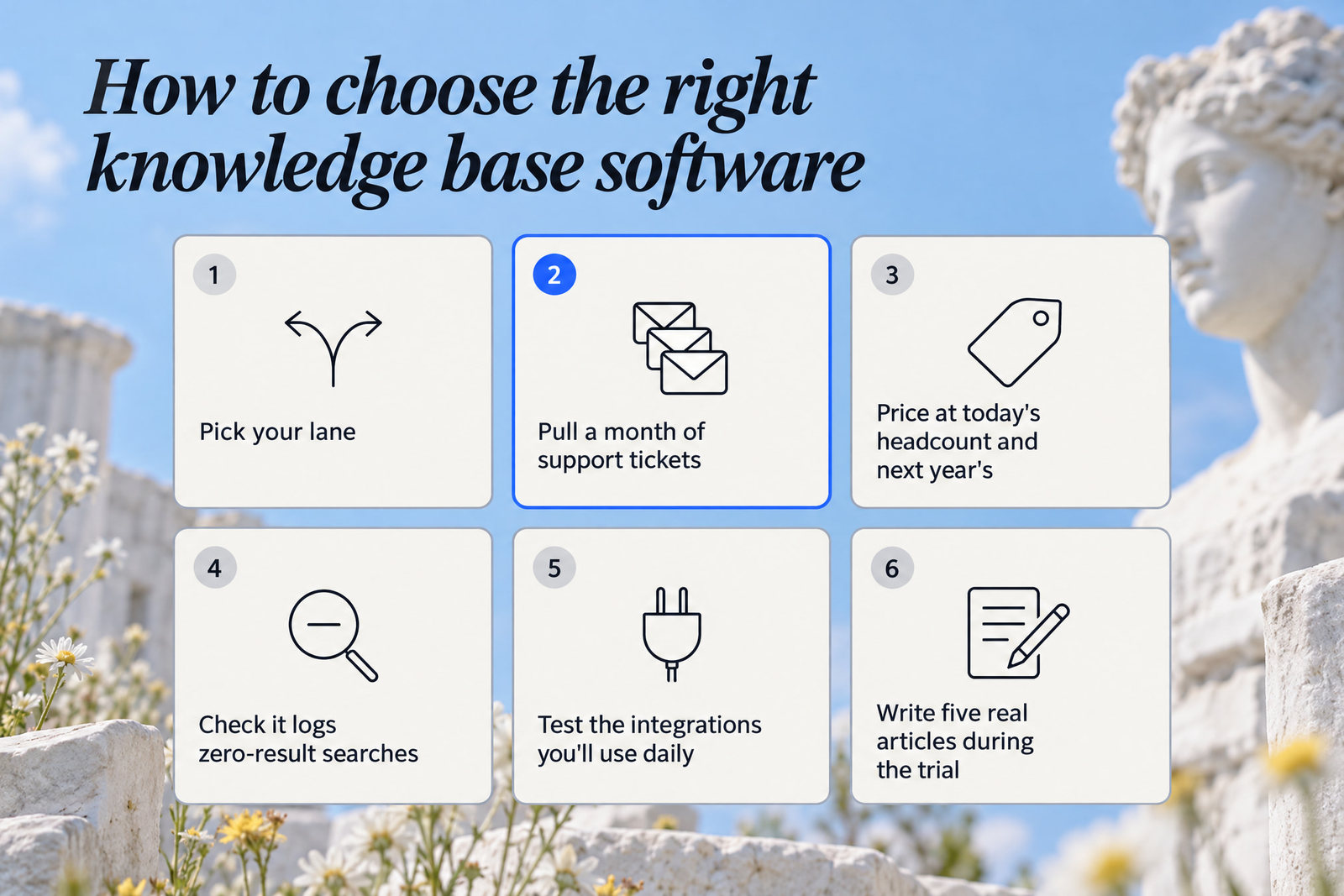
Work through these steps in order:
- Pick your lane: customers, your team, or both.
- Pull a month of support tickets and list the questions that keep coming back.
- Price each shortlisted tool at today's headcount and at next year's.
- Check that it logs zero-result searches as well as page views.
- Test the integrations you'll use daily, whether that's Slack, Microsoft Teams, Jira, Google Drive or Salesforce.
- Write five real articles during the trial before you decide.
Solo developers and small SaaS teams should start with Knowlith or Help Scout, whilst growing support departments fit Zendesk or Zoho Desk. Docs-heavy products suit Document360 or Helpjuice. For internal wikis, pick Notion, Confluence, Slite, Nuclino or Tettra, and add Guru once you pass ten seats.
Step two matters most. Most knowledge management problems are ownership problems in a software costume. Your tickets already wrote the table of contents.
Quick Answers About Knowledge Base Software
Knowledge base software ranges from free plans to per-seat enterprise pricing, and the answers below cover definitions, top picks and free options.
What is knowledge base software?
Knowledge base software is a tool for creating a central, searchable library of help articles, documents and answers. Public versions give customers self-service help, and internal versions help teams share processes and company knowledge.
What's the best knowledge base software?
The best knowledge base software depends on your lane. For small SaaS teams, we rank Knowlith first, with Document360 and Help Scout close behind for customer-facing help. For internal wikis, Notion and Confluence lead, and Guru suits larger teams that need verification.
What is the best free knowledge base software?
The best free knowledge base software for customer-facing help is Knowlith's free Solo plan, and the best free internal wiki is Confluence, whose free tier supports up to 10 users. Self-hosters can run BookStack, Outline or MediaWiki and pay for hosting instead.
Is a knowledge base free?
A knowledge base can be free on entry-level plans, but free tiers carry limits. Notion's Free plan restricts upload sizes, for example, and open-source tools shift the cost to hosting and maintenance.
How much does knowledge base software cost?
Knowledge base software costs anything from nothing to several hundred dollars a month. Notion's Business plan costs $20 per member per month billed annually, whilst Knowlith's Studio plan is $19 a month.
Pick the Tool That Tells You What to Write Next
The best knowledge base software for a small SaaS team is the cheapest tool that covers your lane and shows you where users get stuck.
Every tool on this list makes you write the posts. None of them fixes that. The difference is whether yours points at the gap or leaves you guessing.
Today, open your own help centre and search 'cancel', 'change email' and 'invoice'. Note every search that comes back empty. Five minutes, tops.
This week, write the missing articles, starting with account settings and subscriptions, because that's where our data says users come up empty. After seven days, check two things: repeat tickets on those topics and zero-result searches.
If both drop, your knowledge base is working. If they don't, the article exists but nobody can find it. Fix the title, then fix the search.