
UTM tracking adds short tags called UTM parameters to the end of a link so your analytics tool can record which source, channel, and campaign sent each visitor. The three required UTM parameters are utm_source, utm_medium, and utm_campaign. The two optional ones are utm_term and utm_content. When someone clicks a tagged link, Google Analytics 4 and similar tools read those values and show them in acquisition reports, while untagged links often land in Direct or Referral with no campaign attached.
You pay for a newsletter slot, post on LinkedIn, and hand out flyers at an event, and then the report says most of it came from Direct. UTM tags end that guessing. One link, one label, one answer.
What Is UTM Tracking?
UTM tracking is a method of labeling links with UTM parameters so analytics tools can attribute each visit to a specific source, medium, and campaign.
UTM stands for Urchin Tracking Module. The name goes back to Urchin Software Corporation, a San Diego web analytics company that Google agreed to acquire in its March 28, 2005 announcement. The utm_ prefix is still what Google Analytics reads today.
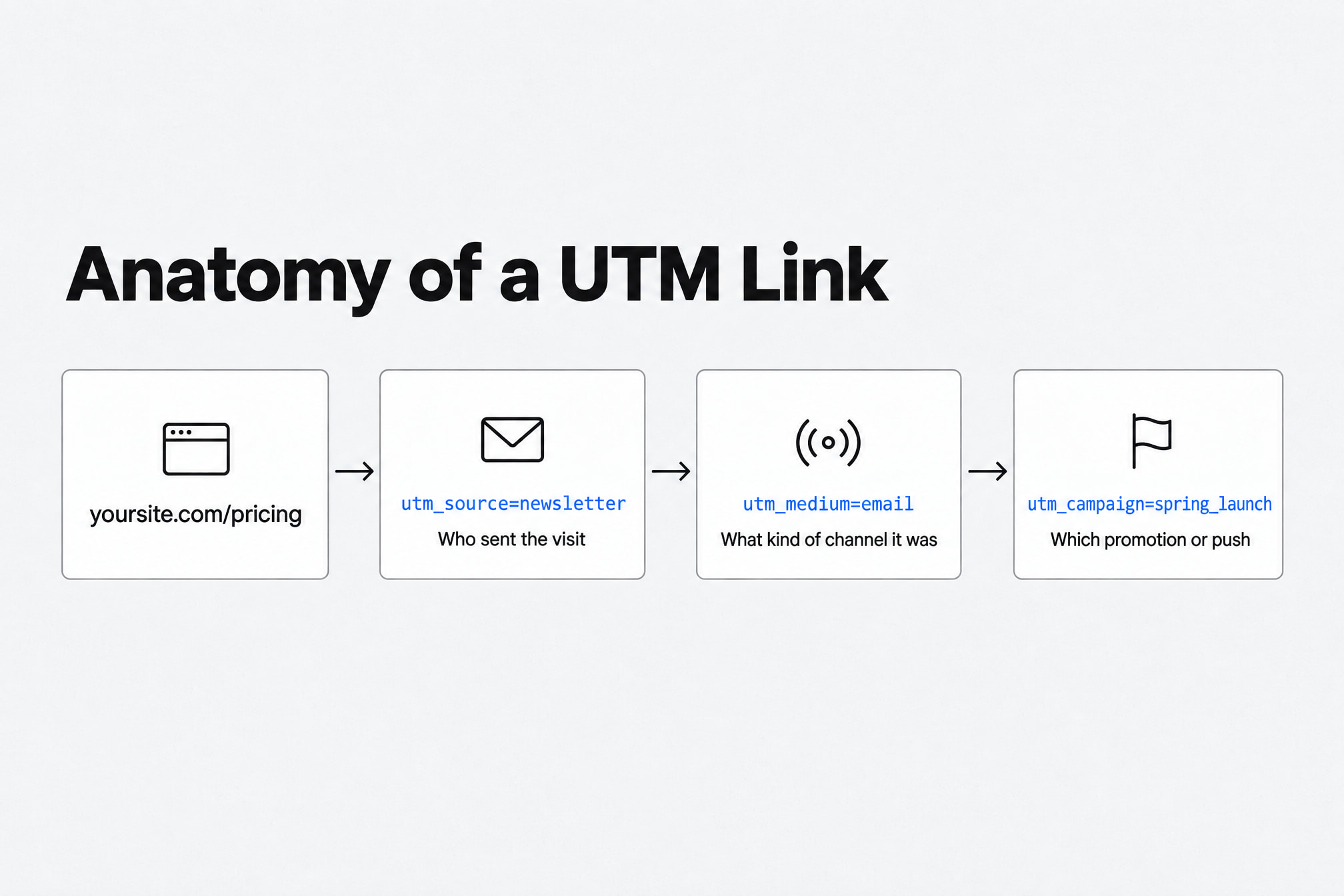
The format is plain text. A question mark separates the page address from the parameters. Each parameter is written as name=value, and an ampersand joins them.
https://yoursite.com/pricing?utm_source=newsletter&utm_medium=email&utm_campaign=spring_launch
The parameters can go in any order. The page loads the same, and the visitor sees nothing different. Your analytics tool sees exactly where they came from.
UTM tags describe the link. Nothing about the person clicking it goes into the tag. Once a tagged visitor lands, a tool like Stattr can follow their visitor journey across your pages, with anonymous profiles by default.
The 5 UTM Parameters: Three Required, Two Optional
UTM tracking uses five parameters, and three of them, utm_source, utm_medium, and utm_campaign, belong on every tagged link you share.
Skip one of the required three and the report fills with gaps. Source without medium tells you who sent the visit but leaves the channel blank. Medium without campaign tells you it was email, but which email?
The five UTM parameters and the question each one answers are:
Parameter | Status | What it answers | Example values |
|---|---|---|---|
| Required | Who sent the visit | newsletter, linkedin, google |
| Required | What kind of channel it was | email, social, cpc, display |
| Required | Which promotion or push | spring_launch, black_friday |
| Optional | Which paid keyword | analytics_tool |
| Optional | Which link, ad, or variation | header_button, blue_banner |
GA4's Extra Campaign Fields
Google Analytics 4 accepts two campaign fields beyond the standard five, utm_id and utm_source_platform, according to Impact's documentation on GA4 campaign parameters. The platform field covers tools like Search Ads 360 and Display & Video 360.
Most small sites can skip both. Get the core five right first.
Using utm_content to Compare Ad Variations
The utm_content parameter separates two versions of the same ad, email, or post inside one campaign. Tag the header button in your newsletter utm_content=header_button and the footer link utm_content=footer_link.
Now the report shows which spot people clicked. Do the same with banner sizes, headlines, or button colors. Pair it with custom events like a trial start, and you see which variation led somewhere.
How to Build a UTM Link in Four Steps
A UTM link can be built by hand or with a campaign URL builder, such as Google's Campaign URL Builder, which joins your values into one correctly formatted URL.
The builder matters less for formatting and more for habit. Typing tags by hand at 6pm on launch day is how linkedin becomes Linkedin. The builder's fields are labeled campaign source, campaign medium, and campaign name, which map to the three required tags.
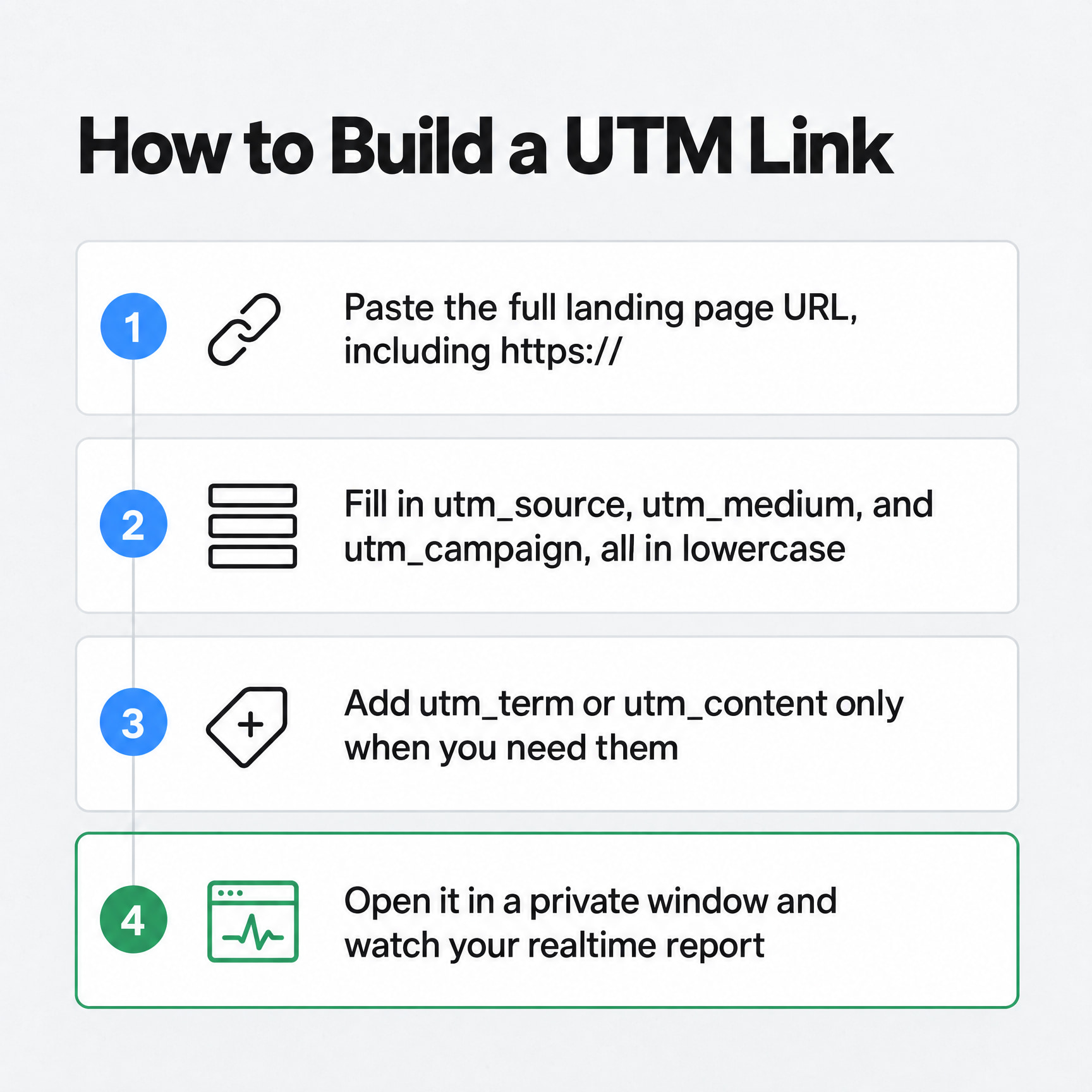
The steps for building a UTM link are:
Paste the full landing page URL, including https://.
Fill in
utm_source,utm_medium, andutm_campaign, all in lowercase.Add
utm_termfor paid keywords orutm_contentfor variations, only when you need them.Copy the finished link, open it in a private window, and watch it arrive in your realtime report.
For social posts and print, run the finished link through a URL shortener. A QR code can point to that short link, and the UTM tags travel with it.
The whole check takes under five minutes. Click it. Watch the visit arrive. Confirm the source and campaign read right, then send.
How to Find UTM Data in Google Analytics 4
Google Analytics 4 shows UTM data in the Traffic acquisition report, under Reports and then Acquisition, where the Session source / medium and Session campaign dimensions display your tagged values.
The first time you open it, expect a mess. Every inconsistent tag you've ever sent shows up as its own row.
Use the dropdown above the table to switch dimensions. Session source / medium is the one you'll use most. Check the key events column next to it to see which sources lead to conversions.
How GA4 Sorts UTM Traffic Into Channels
Google Analytics 4 sorts sessions into channels like Email, Organic Social, and Display using rules that read your source and medium values. Custom mediums such as qr_code or flyer don't match those rules, so the sessions can end up in the Unassigned channel.
You also can't edit the default channel group, because Google keeps one universal default channel group for all users. Your property can edit a primary channel group instead, and that one becomes your editable default.
The simple fix is to stick with standard mediums: email, social, cpc, display, and referral. Only invent a medium if you plan to build a custom channel for it.
How Google Ads Auto-Tagging Changes Your UTM Data
Google Ads auto-tagging adds a click identifier called a GCLID to landing URLs, such as ?gclid=123xyz, and auto-tagging is on by default for new Google Ads accounts.
A gclid is a click identifier. It sits outside the UTM system, and it only covers Google Ads traffic. Every other channel still needs manual tags.
If you use both on Google Ads, GA4 uses the auto-tagged values for source and medium. Your manual utm_content and utm_term values still appear in the Manual Ad Content and Manual Term dimensions. So keep auto-tagging on, and add utm_content only when you want your own variation labels.
UTM Tracking Examples by Channel: Email, Social, Display, QR
UTM tracking examples follow one pattern across channels: the landing page stays the same, and the source, medium, and campaign values change to describe where the link was placed.
Copy these. Swap in your domain and campaign names. Keep the pattern.
Email Newsletter
An email newsletter UTM link uses utm_medium=email so Google Analytics files the visit under the Email channel.
https://yoursite.com/pricing?utm_source=newsletter&utm_medium=email&utm_campaign=october_update&utm_content=header_button
Without the tag, a lot of newsletter clicks show up as Direct. That's your best-performing email getting zero credit.
Social Media Posts
A social media UTM link names the platform in utm_source and uses utm_medium=social for organic posts.
https://yoursite.com/blog/utm-guide?utm_source=linkedin&utm_medium=social&utm_campaign=q4_content&utm_content=carousel_post
For paid social, use a paid medium like paid_social. That keeps ad spend out of your organic numbers.
Display Banners
A display banner UTM link uses utm_medium=display and puts the banner size or design in utm_content.
https://yoursite.com/demo?utm_source=industry_news&utm_medium=display&utm_campaign=black_friday&utm_content=300x250_blue
Two banners, two content values, one clear answer about which design earned the click.
Email Signatures
An email signature UTM link tags every one-to-one email your team sends, a channel that's easy to forget.
https://yoursite.com/?utm_source=email_signature&utm_medium=email&utm_campaign=team_signature
Set it once in each person's signature. It keeps reporting for as long as they send email.
QR Codes and Print
A QR code UTM link carries campaign data from print into your analytics, because the tags are part of the URL the code opens.
https://yoursite.com/event?utm_source=trade_show_flyer&utm_medium=qr_code&utm_campaign=saas_expo_2026
Google Analytics 4's default rules put qr_code in Unassigned. Accept that, or add an offline channel to your primary channel group. Shorten the link first, too. Shorter URLs make simpler codes.
UTM Naming Conventions That Keep Your Reports Clean
UTM parameter values are case sensitive, and Google's Analytics help documentation confirms that utm_source=google and utm_source=Google count as two different sources.
Inconsistent naming is probably the most common UTM mistake we see in Stattr accounts. The same source gets recorded as linkedin, LinkedIn, linkedin.com, and li. One channel, split into four rows, each one looking weaker than the channel really is.
Campaign names drift the same way. Someone changes capitalization, spacing, or an abbreviation halfway through, and the campaign splits in two.
The UTM naming conventions that prevent split rows are:
Lowercase every value, every time.
Pick one name per source and keep it: linkedin, never li or linkedin.com.
Use underscores instead of spaces, which turn into %20 in URLs.
Keep
utm_mediumto values Google Analytics recognizes, like email, social, cpc, display, and referral.Freeze campaign names once a campaign goes live.
Log every link in one shared spreadsheet with its date and owner.
Boring names win. A report you can read at a glance beats a clever tag nobody else on the team understands.
Common UTM Tracking Mistakes That Send Traffic to Direct
Untagged links send campaign traffic into Direct or Referral in Google Analytics, where the campaign that earned the visit can't be recovered later.
Referral data is thinner than it looks. Starting with Chrome 85, Chrome's default referrer policy sends only the origin on cross-origin requests, without the path or query string.
So Referral can tell you a visit came from a site. It can't tell you which page, post, or campaign on that site sent it. A UTM tag can.
The UTM tracking mistakes worth fixing first are:
Leaving links untagged. Newsletters, PDFs, partner posts, and social bios all need tags.
Mixing capitalization. Facebook and facebook become two rows.
Making up mediums. Values like newsletter_blast push sessions into Unassigned.
Adding manual source and medium to Google Ads. GA4 uses the auto-tagged values there anyway.
Dropping a required field. A link with no medium can't be sorted into the right channel.
Every mistake on that list gets fixed before you hit send. After that, the data's gone.
Which Visit Gets Credit for the Sale?
UTM parameters label individual sessions, while an attribution model decides which of those sessions gets credit for a conversion, and the two work separately.
How GA4 Attribution Models Assign Credit
Google Analytics 4 offers three attribution models in its Attribution reports, and Google labels data-driven attribution as recommended. The paid and organic last click model ignores direct traffic and gives 100% of key event value to the last channel clicked before conversion.
That's a friendly rule for UTM tags. Your tagged newsletter click keeps the credit even if the buyer returns later by typing your URL.
The same logic runs through the other models. GA4 gives direct visits no credit unless every visit on the path was direct. Direct only wins when there's nothing else to credit, which makes a tagged first visit worth a lot.
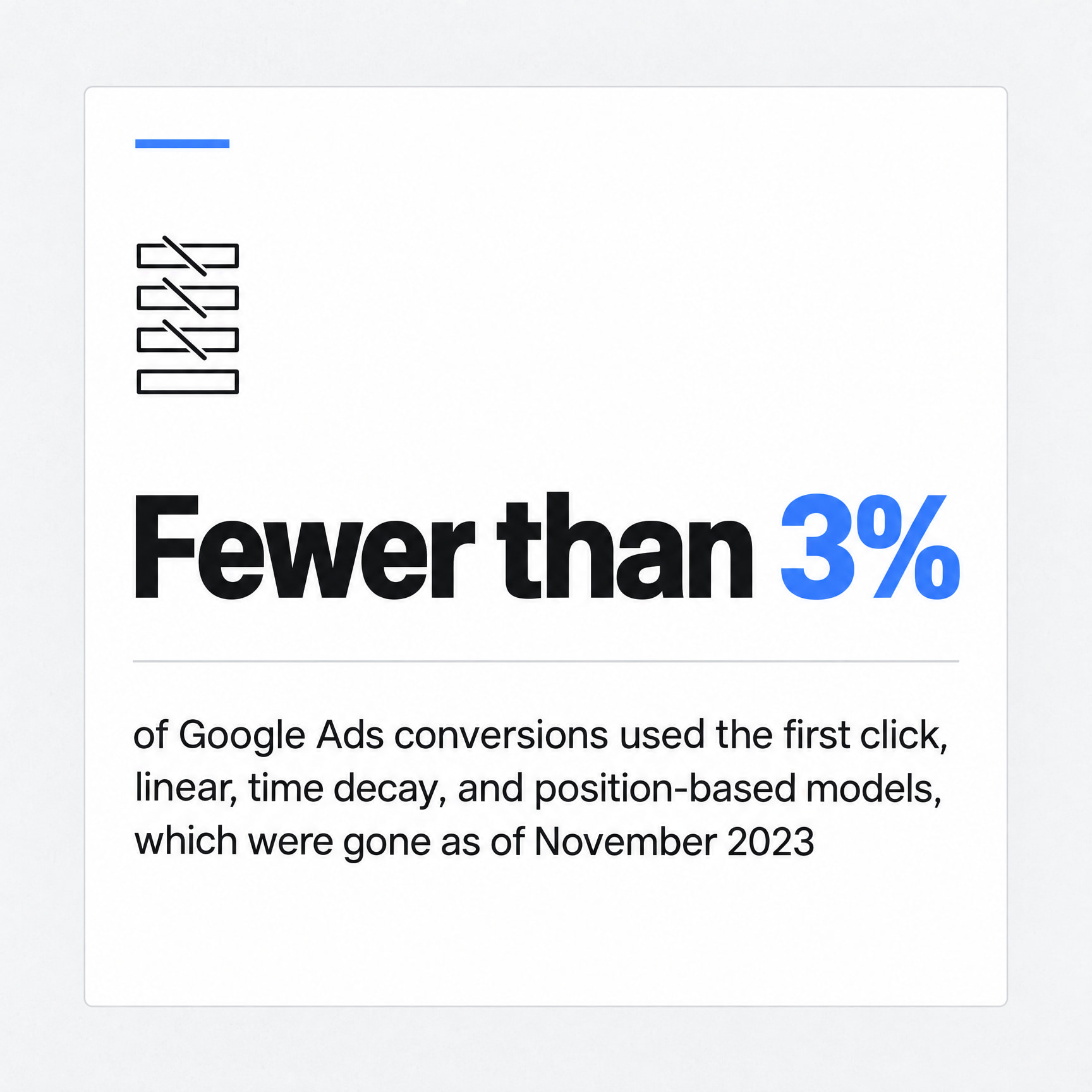
Google also cut the menu. The first click, linear, time decay, and position-based models were gone as of November 2023. If an old dashboard or guide still mentions them, it's out of date.
The reason was low use. A Google spokesperson told Search Engine Land that fewer than 3% of conversions in Google Ads used those four models. Almost nobody picked them, so Google stopped offering them.
What Revenue Shows That Traffic Reports Hide
Stattr keeps the campaign data from an earlier tagged visit and attributes a later purchase to that acquisition source, even when the buyer comes back untagged.
We chose that for a simple reason. Someone who returns through a bookmark or by typing your URL usually wasn't created by Direct. An earlier campaign introduced them, and they came back when they were ready to buy.
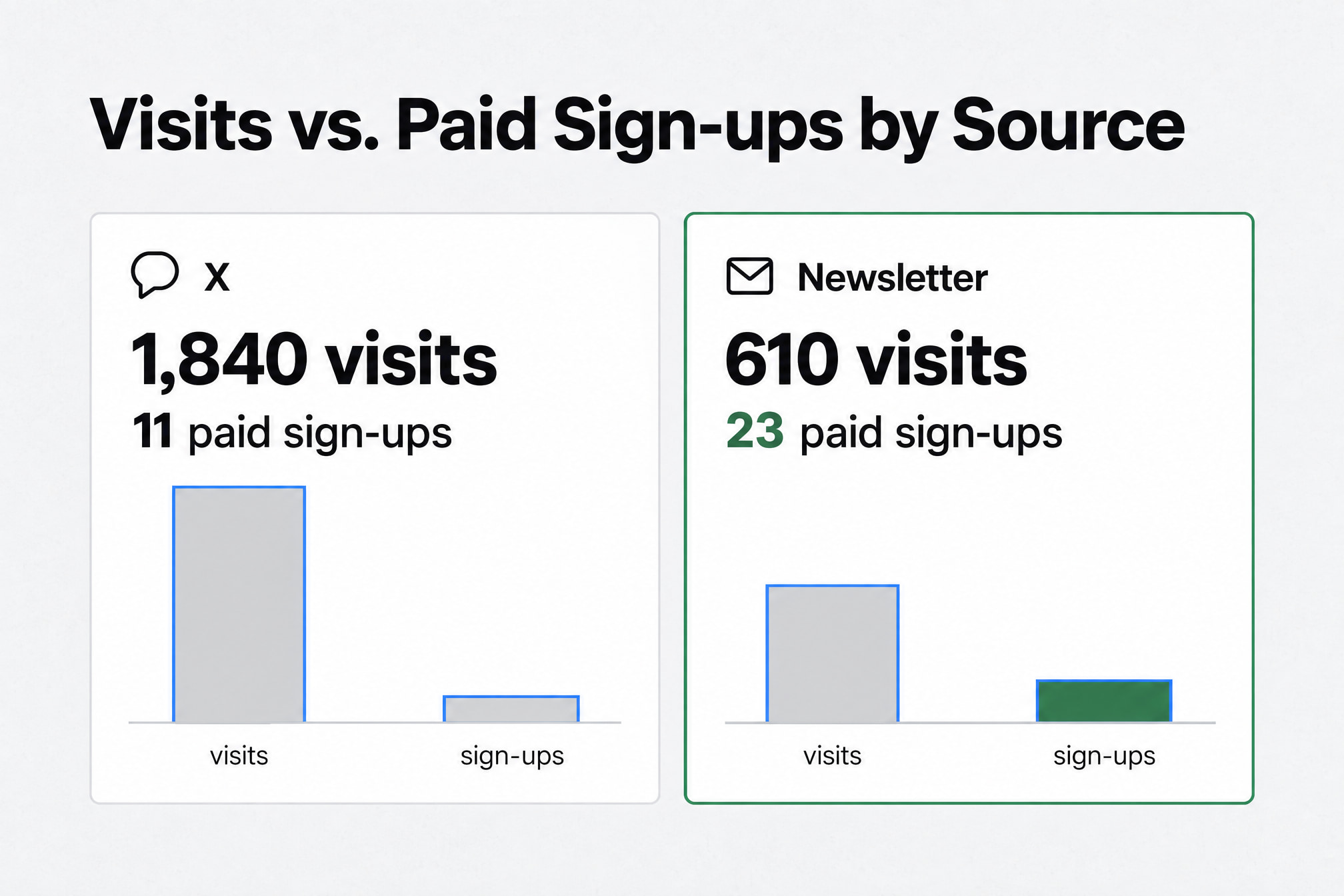
One SaaS campaign we looked at had 1,840 visits from X and 610 from a small newsletter sponsorship. The newsletter generated 23 paid sign-ups. X generated 11.
In a normal traffic report, X looks like the winner. Once revenue was attached to the UTMs, the newsletter was clearly doing the more valuable work. Fewer visits. More customers.
That's the case for tying tags to money. In Stattr you can connect your payments to UTM campaigns from Stripe, Paddle, or Lemon Squeezy and see the full picture, from visitor to customer.
Best UTM Tracking Tools and URL Builders
UTM tracking tools fall into two groups: URL builders that create consistent tagged links, and analytics or attribution platforms that read those links and connect them to conversions.
You need one from each group. A perfect link with nowhere to report it is just a long URL.
The UTM tracking tools worth setting up are:
Google's Campaign URL Builder. Fill in the fields, copy the link. Good for one-off links.
A shared spreadsheet. One row per link and one column per parameter. A simple formula joins them into the final URL, and the sheet becomes your naming guide.
A URL shortener and QR code generator. For social bios, print, and anywhere a long URL looks messy.
Google Analytics 4. Reads UTM parameters automatically and reports them in Traffic acquisition next to key events.
Stattr. One tracking script, visitors arriving in realtime, and purchases linked back to the visit that started them. Its traffic source and campaign attribution reports group every tagged visit by source, medium, and campaign.
Pick the builder your team will use every single time. A plain spreadsheet that everyone follows beats a fancy tool that half the team ignores.
Quick Answers About UTM Tracking
What does UTM stand for?
UTM stands for Urchin Tracking Module. The name comes from Urchin Software Corporation, the web analytics company Google agreed to acquire.
Is UTM tracking still used?
UTM tracking still works in Safari, where independent testing found Safari 17 left UTM parameters in place. Its Link Tracking Protection strips click IDs like gclid, fbclid, and msclkid instead.
Apple has signaled where it wants to go, though. Its WebKit team expanded Web AdAttributionKit "as a replacement for tracking parameters in URL". UTMs work today. Keep an eye on Safari.
How do I track my UTM links?
You track UTM links by clicking a test version, then opening Google Analytics 4's Traffic acquisition report with Session source / medium or Session campaign selected. The realtime report shows the test visit within moments.
Is UTM tracking free?
UTM parameters are free to use, because they're plain text added to the end of a URL. Any cost comes from the tools you pick to build links or report on them.
Tag Your Next Link, Then Follow It to Revenue
UTM tracking works when every link you share carries lowercase utm_source, utm_medium, and utm_campaign values that match one written naming guide.
Start with the link you're sending next. Tag it, click it, and watch it arrive in realtime. Then write your naming rules in one shared sheet before anyone else builds a link.
Next, tag the channels people forget. Email signatures, social bios, PDFs, and print.
Give it seven days. Open your traffic report and look for two signs: no duplicate source rows, and less unexplained Direct traffic than the week before.
Traffic shows you who showed up. Revenue shows you which campaign paid for itself. Tag the link, follow the visit, connect it to the sale.