
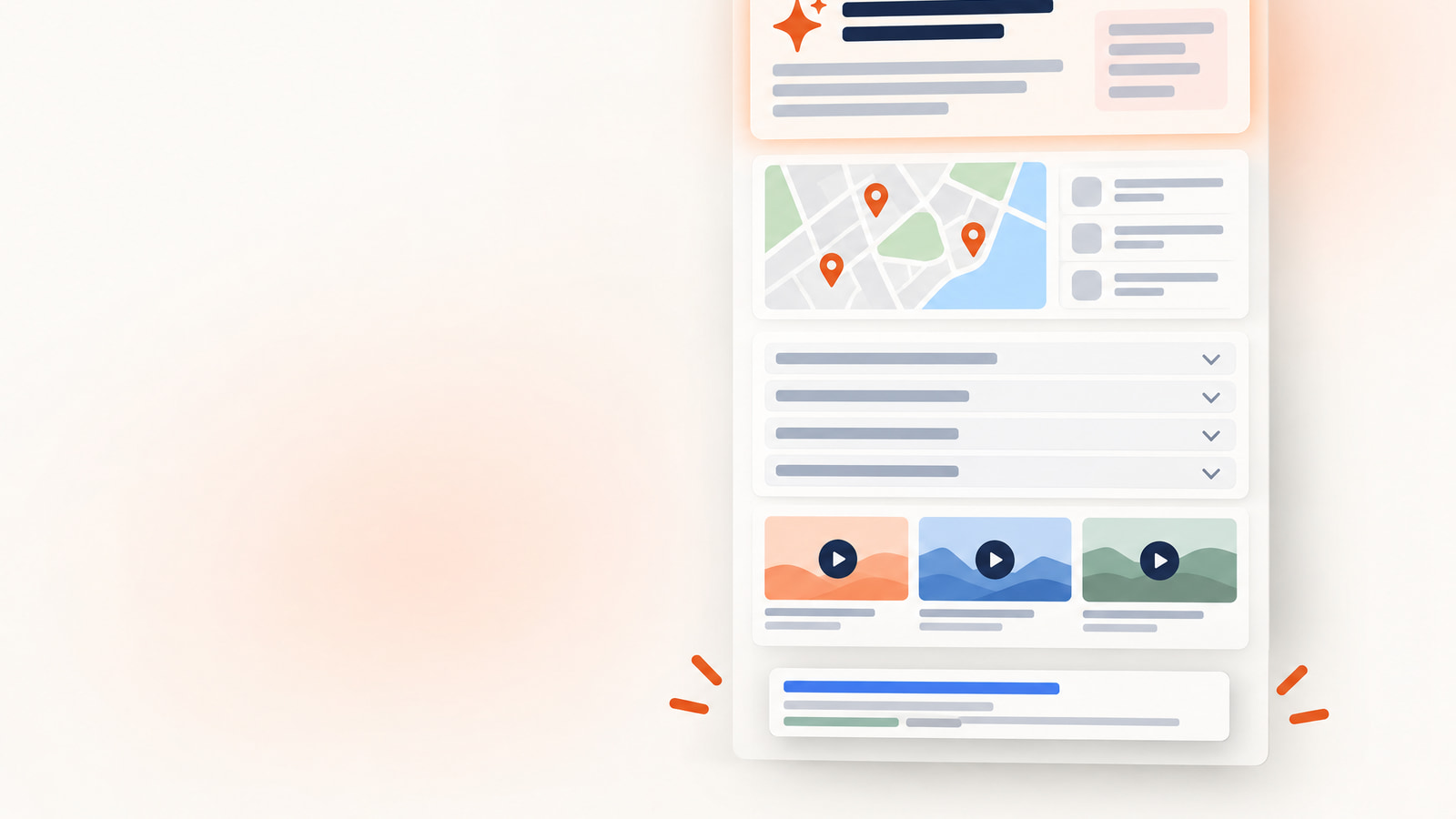
SERP features are the parts of a Google results page that aren't standard blue links. The ones worth your time are AI Overviews, featured snippets, People Also Ask, local packs, knowledge panels, rich results, image and video packs, sitelinks, Top Stories and forum results. They matter because 68.01% of US Google searches ended without a click in January to April 2026, according to SparkToro's 2026 zero-click search analysis. You win most of them with four habits: a direct answer under each question heading, clean lists and tables, accurate structured data, and a complete Google Business Profile.
If your rankings held and your traffic didn't, this is usually why. Position one still exists. It just sits under an AI answer, a map and a stack of questions now.
What Are SERP Features? The Results Beyond 10 Blue Links
SERP features are any elements on a search engine results page (SERP) other than the standard organic listings, the title, URL and description results known as the ten blue links.
The old results page had one job. Show ten links and let the searcher pick. Today's page answers the question itself, shows a map, lists products and plays a video before it gets to the links.
Google keeps its own catalog of these elements. When it launched the Visual Elements Gallery in December 2022, it documented 22 search results elements. Keep that number handy the next time someone sends you a much longer list of SERP features to chase.
Try this now. Open a private browser window, search your three most valuable keywords, and write down every feature sitting above your listing. It's the most useful five minutes you'll spend on SEO this month.
Once you've seen what's above you, the next question is what it costs you.
SERP Features Decide Who Gets the Click
SERP features lower organic click-through rate when they answer a query on the page or push the first blue link further down the screen.
Most founders still treat ranking first as the finish line. The data says position one now shares the page, and often loses the argument.
AI Overviews Cut Clicks on the Same Ranking
AI Overviews cut the top-ranking page's click-through rate by 58%, according to an Ahrefs comparison of 300,000 keywords from December 2023 and December 2025.
Same ranking. Well under half the clicks. Nothing on your page changed, but the page around it did.
Pew Research Center's browsing data points the same way. In March 2025, users clicked a regular result on 8% of visits with an AI summary and on 15% without one, as Search Engine Land reported from Pew's study.
The summary did the reading for them. Your page became the footnote.
Zero-Click Searches Now Cover Most US Queries
Zero-click searches made up 68.01% of US Google searches in January to April 2026, up from 60.45% in 2024, according to SparkToro's zero-click research. The two years use different data providers (Datos in 2024, Similarweb in 2026). So read the jump as direction, not precision.
Google itself is fine. Alphabet's Search & Other revenue grew 17% year over year in Q2 2026, and Sundar Pichai said people are adopting one search experience across AI Overviews and AI Mode. Searchers are still searching. They're clicking less.
Position zero is the old name for the result above the first organic listing, originally the featured snippet. In 2026, a first-page ranking under three SERP features is a smaller prize than your rank tracker suggests.
How often those features show up depends heavily on the query.
How Common SERP Features Are in 2026
AI Overviews had more than 2.5 billion monthly active users as of May 2026, according to Sundar Pichai's Google I/O 2026 keynote.
That's a reach number. It tells you how many people see AI answers, and nothing about whether one shows up for your keyword.
Google's AI Mode, the separate conversational search experience, passed 1 billion monthly active users within about a year of launch. It lives outside the classic results page. Your content still feeds it.
Question Searches Trigger AI Answers Most Often
AI summaries appeared on 60% of Google searches starting with who, what, when or why in March 2025, according to Pew Research Center's analysis of Google users. Question words are the trigger.
Length matters too. AI summaries appeared on 53% of searches of 10 or more words and only 8% of one- or two-word searches. Short head terms still get a mostly classic page, and long questions get an answer box first.
Intent seals it. Ahrefs found 99.2% of keywords that trigger AI Overviews are informational. If your product pages target commercial terms, AI Overviews are mostly your blog's problem. Your blog is also where you get cited.
Google Removes SERP Features Too
Google removes SERP features as well as adding them: in November 2025 it began phasing out more lesser-used results-page features "to simplify the page and improve the speed of search results," according to Google Search Central's November 2025 update.
Every list of SERP features has a shelf life, including this one. Check yours against Google's documentation twice a year.
Quick action: sort your keyword list by length and question words. The long questions are your AI Overview and People Also Ask targets. The short ones are where classic ranking still does most of the work.
Organic, Paid and Informational SERP Features
SERP features fall into three groups: organic features you earn with content, paid features you buy with ad spend, and informational features that answer on the page with few clicks.
The group tells you who owns the job. Content wins the organic ones and budget wins the paid ones. The informational ones need good content plus clean entity data.
The three groups of SERP features, with examples and what gets you in, are:
| Group | SERP features | What gets you in |
|---|---|---|
| Organic (earned) | Featured snippet, People Also Ask, rich results and rich snippets, local pack, image pack, video carousel, sitelinks, Top Stories, Discussions and forums | Answer-first content, question headings, lists and tables, schema markup, a complete Google Business Profile, clear site structure |
| Paid | Top and bottom text ads, Shopping ads | Google Ads budget and a Merchant Center product feed |
| Informational (answers on the page) | AI Overviews, knowledge panel, knowledge card | Clear, sourced answers plus Knowledge Graph entity data and organization structured data |
For the official view, Google's Visual Elements Gallery shows what each element looks like, what Google calls it, and whether sites can optimize for it. Google last updated it on February 4, 2026. If Google says an element can't be optimized, stop paying anyone to optimize it.
The biggest informational feature is also the newest, so it goes first.
AI Overviews: How to Get Cited in Google's AI Answers
AI Overviews are AI-generated summaries at the top of Google results, and Google states there are "no additional requirements to appear in AI Overviews or AI Mode, nor other special optimizations necessary" in its AI features guidance for site owners.
That sentence should end most of the AI Overview packages in your inbox. There's no secret tag. What works is ordinary SEO done cleanly: crawlable pages, quality content and a good page experience.
Cited Pages Keep More of Their Clicks
Sites cited inside an AI Overview had 35% higher organic CTR, even as organic CTR on AI Overview queries fell 61%, according to Seer Interactive's June 2024 to September 2025 data.
The AI Overview is a tax on everyone except the sources it names. Being cited is the ranking that counts now.
Don't expect much traffic from the citation link itself. Users clicked a link inside the AI summary on only 1% of visits in March 2025, according to the Institute for Public Relations' review of Pew data. The value is the trust, and the organic click sitting next to it.
The trend isn't a straight line down. Organic CTR on AI Overview queries fell to 1.3% in December 2025, then recovered to 2.4% in February 2026. Seer Interactive's 2026 update across 53 brands found organic CTR on these queries rose 85% in early 2026, and Seer calls the data directional.
Directional is the right word. Plan for low CTR and treat any recovery as a bonus.
Five Steps to Get Cited in AI Overviews
Getting cited in AI Overviews comes down to making each answer easy to find, easy to lift and easy to trust.
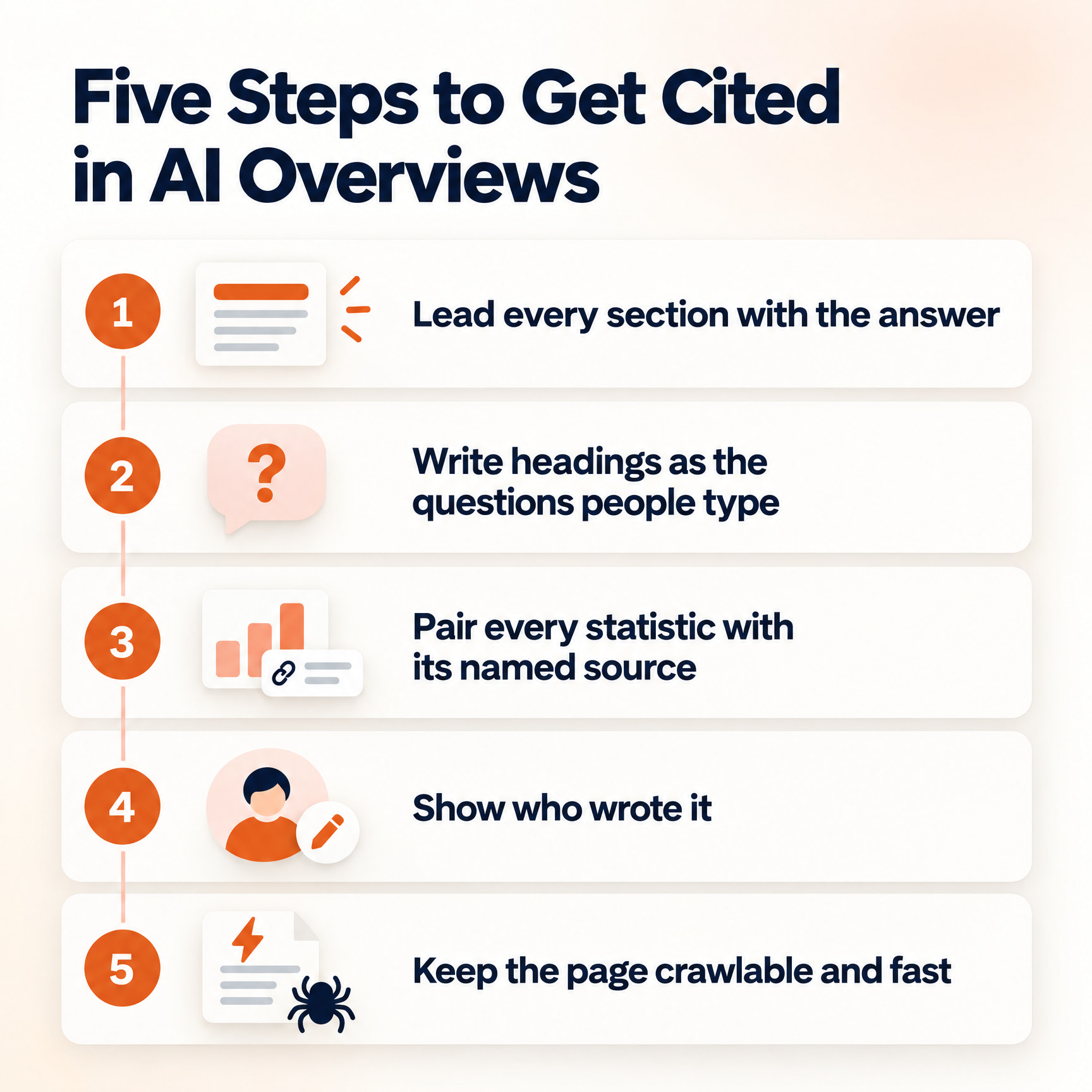
The five steps that do most of the work are:
- Lead every section with the answer. Put a one- or two-sentence claim under each heading that names the subject in full.
- Write headings as the questions people type. Long question searches trigger AI summaries most often, so match their wording.
- Pair every statistic with its named source. A number with a source is easier to trust and easier to cite.
- Show who wrote it. A named author, first-hand detail and clear sourcing are the E-E-A-T signals a reader and a model can check.
- Keep the page crawlable and fast. Don't block Googlebot, and don't make the answer depend on a script loading.
People now call this GEO, or generative engine optimization. It's SEO with better formatting and better sourcing.
The same formatting wins the older answer box too.
Featured Snippets: Win the Paragraph, List or Table Box
A featured snippet is a highlighted answer that Google pulls from one web page and shows at the top of the results. There is no markup to opt in, and Google's featured snippet documentation says its systems decide whether a page would make a good one.
That's frustrating and fair. You can't claim position zero with a tag. You earn it by writing the best short answer for the query.
The Three Featured Snippet Formats
Featured snippets come in three main formats, paragraph, list and table, and each one rewards a different page structure:
- Paragraph snippets answer "what is" and "why" queries. Write a two- or three-sentence definition directly under a question heading.
- List snippets answer "how to" and "best" queries. Use a real HTML numbered or bulleted list with short, parallel items.
- Table snippets answer comparison, pricing and spec queries. Use an HTML table with clear column headers, because a screenshot of a table can't be lifted.
Formatting is half the job. The other half is ordinary ranking work. A perfect paragraph on a page Google doesn't trust for the query won't get lifted.
Your action: find keywords where you rank on page one but a competitor holds the featured snippet. Rewrite that one section answer-first, then add detail below it. Check again in a few weeks.
How to Opt Out of Featured Snippets
The nosnippet rule is the only guaranteed way to keep a page out of featured snippets, and it blocks every other snippet for that page too, according to Google's robots meta tag documentation.
It's a blunt tool. Use nosnippet only if the featured snippet gives away the thing you charge for.
A featured snippet answers one question. The next box answers the ones that come after it.
People Also Ask: Answer the Next Question on the Page
People Also Ask boxes are lists of related questions on Google results that expand to show a short answer and a link to the page it came from.
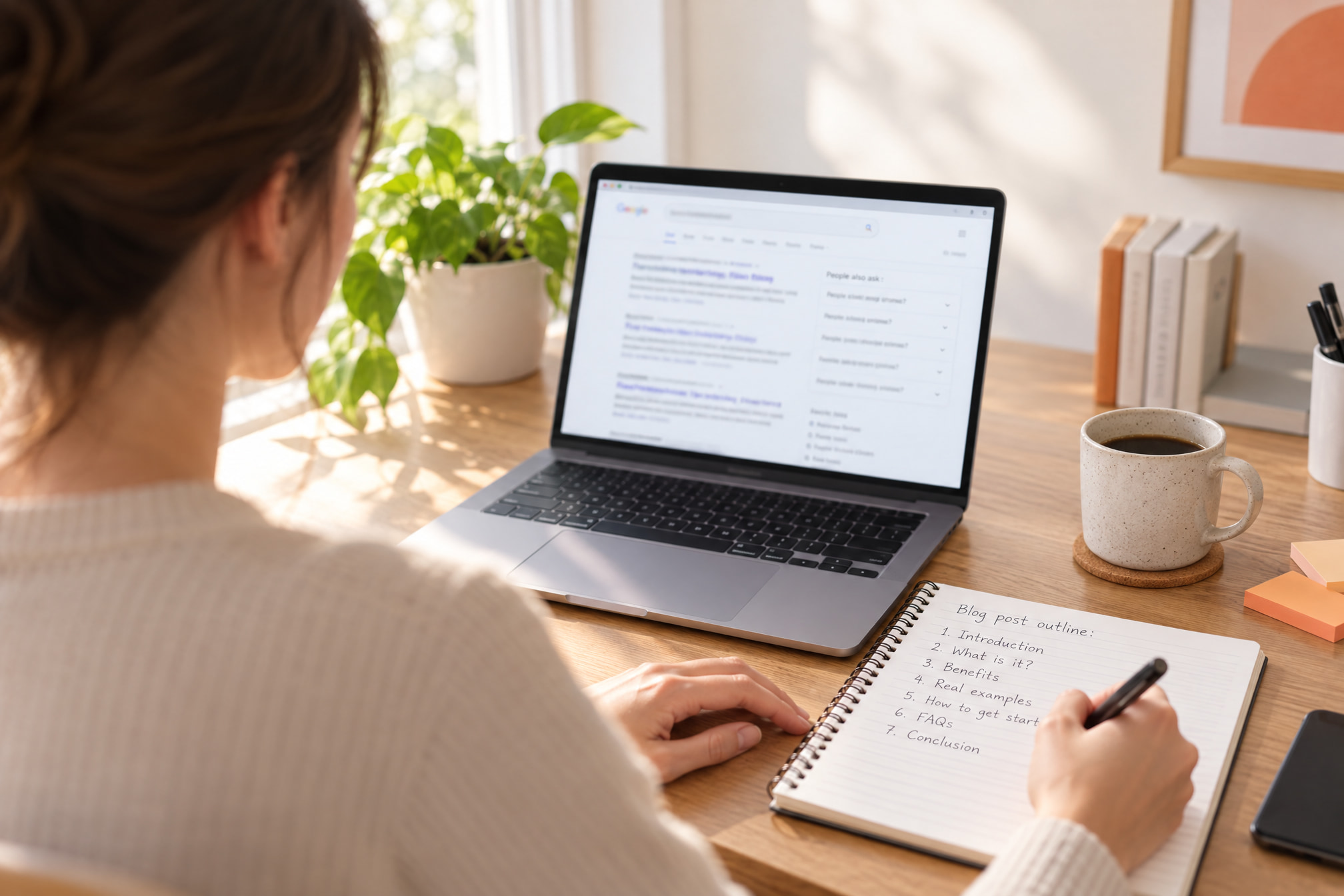
You want to know what your reader asks after the first question. Google has already written it down. Expand one question and more appear, so a single search can hand you a full outline.
Serpjoy reads the People Also Ask box before it writes a post, alongside search intent and the AI Overview. It's the cheapest keyword research on the internet.
Copy the People Also Ask questions for your target keyword into a doc. Use the best three or four as H2 or H3 headings, word for word where it reads naturally.
Answer each one in the first sentence under the heading, then add detail. Group the leftovers into an FAQ section at the end.
Skip questions you can't answer well. A thin reply does nothing for the box and something bad for the page.
Question features reward good writing. The next set rewards good data.
The Other SERP Features and How to Win Each One
The other major SERP features are local packs, knowledge panels, rich results, image and video results, sitelinks, Top Stories, forum results and ads. Most depend on data, profiles or media more than on prose.
Local Pack and Map Pack
The local pack is the map and short list of nearby businesses Google shows for location-based searches, and Google's local ranking guidance says those results depend mainly on relevance, distance and prominence.
Review count and ratings feed prominence. You can't move your shop closer to the searcher. You can work on the other two.
Fill in every field of your Google Business Profile: categories, hours, services and photos. Keep your name, address and phone number identical everywhere they appear online. Ask happy customers for reviews and reply to all of them, including the bad ones.
Knowledge Panels and Knowledge Cards
A knowledge panel is the information box Google builds about an entity, such as a company, person or place, using its Knowledge Graph. A knowledge card is the smaller fact box that answers a simple query, like a date or a definition, at the top of the page.
You can't apply for a knowledge panel. You can make your entity easy to confirm. Add organization schema markup to your homepage, link your official profiles with sameAs, and keep your details consistent on Wikidata.
Once a knowledge panel appears, claim it through Google so you can suggest edits. Wikipedia helps the Knowledge Graph too, but only if you're notable enough to earn a page.
Rich Results and Rich Snippets
Rich results, also called rich snippets, are listings with extra detail such as review stars, recipe times, prices or event dates, and they come from structured data on the page.
Add schema markup in JSON-LD for the content you have, such as Product, Recipe, Event or Article. Mark up only what a visitor can see. Test it with Google's Rich Results Test before you publish.
Google retires structured data types as well. In June 2025 it phased out six structured data types from Search results: Course Info, Claim Review, Estimated Salary, Learning Video, Special Announcement and Vehicle Listing. Google said the change does not affect ranking, which tells you what markup earns: a better-looking listing, and no ranking boost.
Image Packs
An image pack is a row of image thumbnails inside the main results, and it appears for searches where pictures help answer the query.
Name files for what they show, so blue-running-shoe-side.jpg beats IMG_4471.jpg. Write alt text that describes the image for someone who can't see it. Place the image near text that explains it, and compress it so the page stays fast.
Video Results and Video Carousels
Video results and video carousels show clips, often from YouTube, for how-to and visual queries, sometimes with key moments that jump to a specific timestamp.
Add chapters with timestamps to your YouTube descriptions so Google can show key moments. Embed the video on a relevant page with a transcript nearby. Short videos appear in the video carousel too, so a quick clip can win a spot your long post can't.
Sitelinks for Branded Searches
Sitelinks are the extra links under a site's main result, mostly for branded searches, and Google generates them automatically from the site's structure.
You can't pick your sitelinks. You can make them sensible with clear navigation, descriptive page titles and internal links pointing at your most important pages. If a junk page shows up in your sitelinks, fix it or remove it.
Top Stories and News Results
Top Stories is the news box Google shows for timely queries, and it rewards fresh, clearly dated reporting.
Show visible publish and update dates, use Article schema markup, and follow Google News guidelines if news is part of your business. If it isn't, skip Top Stories. Chasing it with evergreen content wastes a quarter.
Discussions and Forums, Plus Social Posts
Discussions and forums is a results block showing threads from sites like Reddit and Quora, while social results such as the X box show recent posts from social accounts.
No markup gets you in. Show up where your buyers already ask questions, answer as a named person from your company, and never post fake praise of yourself. It's slow, and it's the only version that works.
Paid Features: Top Ads, Bottom Ads and Shopping
Paid SERP features include text ads at the top and bottom of results and Shopping ads with product images and prices, and you buy them through Google Ads and Merchant Center.
Popular Products and free product listings draw on product data too. A clean Merchant Center feed and Product schema markup help even if you never pay for a click.
All of this is useless if you can't see which features you hold.
How to Track SERP Features in Semrush, Ahrefs and Search Console
You track SERP features with two tools working together: a rank tracker that records which features appear for your keywords, and Google Search Console, which shows the impressions and clicks your pages earn.
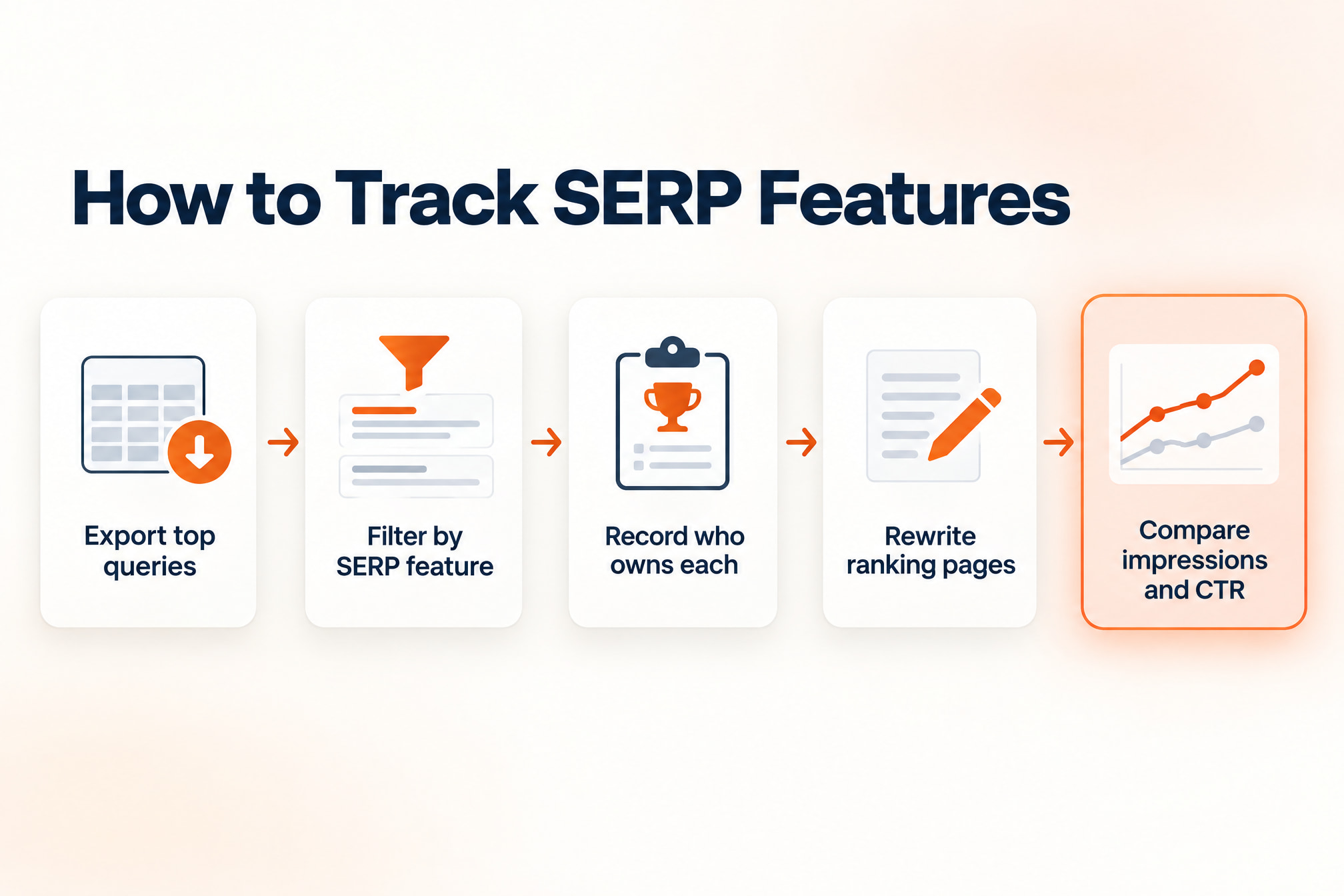
Use only one and you'll misread your own data. A page can hold position two for months while its clicks slide, because an AI Overview moved in above it.
The tracking routine that catches this is:
- Export your top queries from the Search Console Performance report, with clicks, impressions, CTR and average position.
- Load them into Semrush, Ahrefs, Moz or SE Ranking and filter by SERP feature. Note which queries show AI Overviews, a featured snippet, People Also Ask or a local pack.
- Record who owns each feature. That's your competitor analysis for the quarter.
- Pick pages that rank well but don't hold the feature, and rewrite them with the tactics above.
- Compare impressions and CTR in Search Console before and after, and use the Search appearance filter to watch rich results and rich snippets.
Steady impressions with falling CTR usually means a feature took your clicks. Falling impressions means you lost the ranking. Those need different fixes.
The common mistakes are easy to spot. Teams mark up content visitors can't see and chase features Google has retired. Some rewrite a whole site for AI Overviews when only the blog targets informational queries.
Quick Answers About SERPs and SERP Features
What does a SERP include?
A SERP includes organic results, paid ads and SERP features such as AI Overviews, featured snippets, People Also Ask, local packs and knowledge panels, with the mix set by the query.
What is the difference between SERP and SEO?
SERP means search engine results page, and SEO (search engine optimization) is the work of getting your pages onto it. SEO is the method. The SERP is the scoreboard.
What are the different types of SERPs?
Different types of SERPs follow search intent, so informational, local, commercial and branded queries each show different SERP features. Ahrefs data shows 99.2% of AI Overview keywords are informational. Local searches get a local pack, product searches get Shopping ads, and brand searches get sitelinks and a knowledge panel.
How does a SERP work?
A SERP works by matching a query to Google's index, ranking the results, and adding SERP features that fit the intent. Google builds entity boxes from its Knowledge Graph and chooses which page supplies each featured snippet. You don't control the layout, only whether your page is the best candidate.
Where to Start With SERP Features This Week
The fastest SERP feature win for most sites is a featured snippet or AI Overview citation on a keyword where a page already ranks, because it needs a rewrite instead of a new ranking.
Work in this order. Search your top keywords and note the features above you. Rewrite one ranking page so every section opens with the answer and every statistic has a source.
If you serve a local area, finish your Google Business Profile the same day. Add structured data after that.
Today's step: open Search Console and find the page with high impressions and the lowest CTR. That's your first rewrite. After seven days, confirm Google has recrawled it and note impressions and CTR, then give clicks a few weeks to move.
That answer-first, source-paired structure is how Serpjoy writes every post, after reading 70 to 100 sources and checking what already ranks. Rankings still matter. They just stopped being the whole page.